


rmResident
3.92.16K Reviews
App Specs
- Version
- 1.54
- Updated On
- License
- Free
- Downloads
- 500,000+
- Developer
- LCS
- Categories
- Productivity
- Platform
- Android
Screenshots
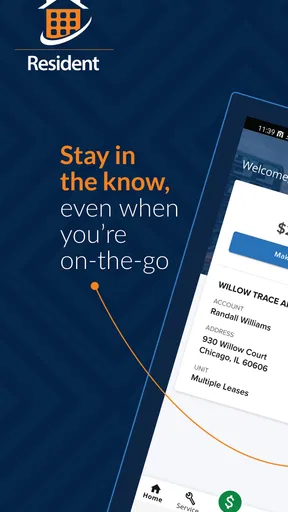
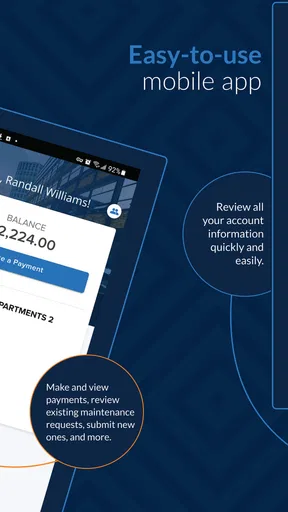
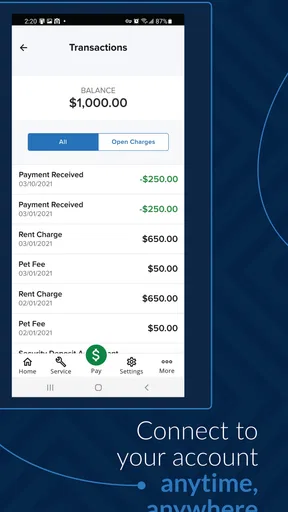
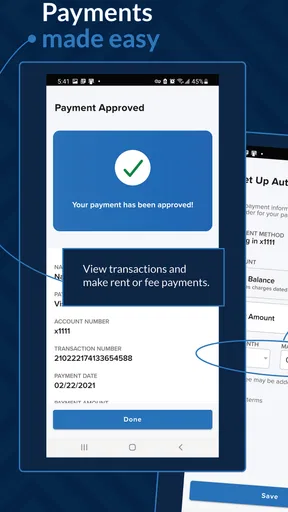
 Analysis by AppCompare
Managing a home or residential account from a phone sounds simple until a payment is due, a service problem appears, or an important notice is buried somewhere else. That is the space where rmResident tries to be useful. It is a free productivity app from LCS, designed for residents who want to handle payments and service-related tasks without depending entirely on a desktop portal or a phone call.
I approached it less like a flashy mobile tool and more like a practical account companion. That distinction matters. This is not an app I would open for entertainment or daily planning; its value depends on whether it makes occasional, important household tasks easier to complete and easier to keep track of. My overall impression is cautiously positive, especially for people whose residential provider supports the app properly, although it is not the kind of product that replaces every communication channel.
What rmResident is really useful for
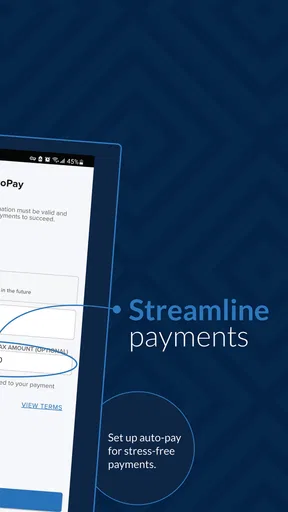
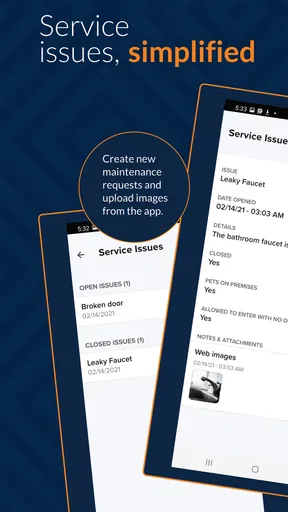
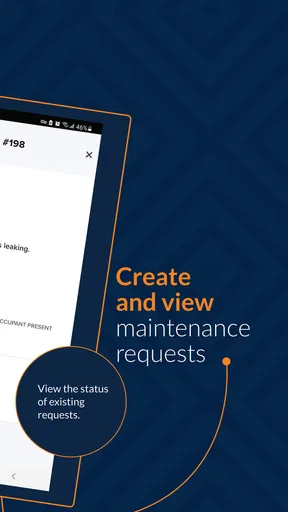
The main appeal is having a focused place to view and make payments, report or follow service issues, and deal with related resident tasks from a mobile device. Those jobs are usually infrequent, but they are high-consequence: missing a payment, overlooking a maintenance update, or failing to check the status of a reported problem can create unnecessary stress.
In everyday use, I found the app’s strongest role is reducing the number of steps between noticing a task and acting on it. If I am away from home and remember that a payment needs attention, a mobile account tool is more convenient than waiting until I can sit at a computer. Likewise, when a service issue has already been raised, being able to check the account from the phone is more practical than searching through old messages or trying to remember which office to contact.
That convenience comes with an important condition: the app is only as useful as the resident account and provider connection behind it. It should be viewed as a front door to supported residential services, not as an independent payment wallet or universal maintenance platform. If your building, community, or service provider does not use the system in a meaningful way, the app may offer little reason to remain installed.
LCS has positioned this as a productivity app rather than a broad lifestyle product. That is a good fit. The interface and purpose are centered on completing account actions, not filling the screen with extras. I prefer that focus for something involving payments and service requests, because unnecessary features can make important choices harder to find.
A realistic household scenario
Imagine getting a reminder while commuting that a residential payment is still waiting. Instead of postponing it until the evening, I could open the app, review the relevant account information, and complete the task while it is fresh in my mind. Later, if a service problem develops, I can return to the same place to review the issue rather than starting over with a different channel.
Worth Reading Before You Choose

EA SPORTS FC Mobile 26 Is a Bigger Football Game, but It Takes Time

Flipboard Shows What News Apps Must Do Beyond the Feed

Switching to Android Auto Means Rethinking Your Driving Routine

Google Calendar Makes a Crowded Week Easier to Manage

Ludo King Makes the Most of the Minutes Between Plans

Baby Panda World Brings Quick Play to Modern Phones, but Its Game Library Feels Busy
The benefit is not dramatic automation. It is continuity. Payment activity and service concerns belong to the same residential relationship, so keeping them within one mobile experience can make the account feel less scattered. For a busy renter, a property resident, or anyone who handles household administration from a phone, that small reduction in friction can be worthwhile.
Still, I would not rely on the app as the only way to deal with an urgent problem. A mobile account application is suitable for routine actions and status checking, but emergencies may require the provider’s direct contact method. That is not a criticism unique to rmResident; it is a sensible boundary for any app that sits between a resident and a service team.
Trust begins with the limits of the app
Payment and service tools deserve a different standard from ordinary productivity apps. I do not judge them only by speed or appearance. I want to know what I am being asked to do, which account I am acting on, and whether the app gives me a clear chance to review an action before confirming it.
From that perspective, rmResident is most convincing when it keeps the user close to the task. A payment screen should be treated as a confirmation point, not a place to tap through automatically. I recommend checking the account details, amount, and any displayed status before finalizing an action. That habit is especially important when more than one resident account or property is associated with the same login.
The app has a 3.9 average from around 4.7 thousand ratings, with roughly 2.2 thousand written reviews. Those figures suggest a mixed but substantial user experience rather than universal approval. I read that as a reason to test the workflow carefully instead of assuming it will behave identically for every property. Residential systems can vary depending on how an organization configures them, so a smooth experience in one community may not translate perfectly to another.
Its age rating is Everyone, which fits the general purpose of the app. That label does not remove the need for adult judgment around payments, account access, or service information. I would still avoid leaving an unlocked phone available to others after signing in, and I would review the account screen before submitting anything that affects a household balance.
Account controls and visible choices
The most useful control is the ability to handle account-related activity from the phone rather than being tied to a browser. That gives the user more control over when to review a balance or respond to a service matter. However, convenience should not be confused with independence. The app remains connected to the underlying residential service, and some decisions may still depend on the provider.
When I use an app involving payments, I look for clear distinctions between viewing information, starting an action, and completing an action. That mental separation is helpful here. I would first inspect the account, then choose the relevant task, and only then confirm. If the app presents a status or acknowledgement after a submission, I would keep that information until I am satisfied the action was recorded.
I also recommend checking whether the account is still active after changing phones, moving home, or switching between resident responsibilities. A productivity app can feel unreliable when the real issue is an outdated account relationship. If the app shows a property or service context, verify it before making a payment or reporting a problem. This is a small step, but it is one of the most valuable safeguards in a multi-account household.
Another practical point is notification discipline. If rmResident offers alerts on your device, I would enable only the notices that help with payments or service follow-up and review how much information appears on the lock screen. A reminder can be useful without displaying sensitive account details publicly. The exact choices available can depend on the app and device configuration, so I would inspect them directly rather than assuming every notification behaves the same way.
Data-sensitive moments need extra attention
The most sensitive moments are not necessarily the moments when the app looks busiest. They happen when signing in, selecting an account, entering payment information, reviewing a service issue, or receiving an alert. I would slow down at each of these points and make sure the screen matches what I intended to do.
For payments, I prefer using a private connection and avoiding shared devices. I would also resist the temptation to save screenshots of balances, confirmation screens, or service details in a general photo library. Those screenshots can be convenient, but they are easy to overlook later and may appear in automatic backups or shared galleries.
Service issues can carry their own sensitivity. A maintenance report may reveal information about a home, a schedule, or people who live there. I would keep descriptions factual and limited to what the provider needs to understand the problem. Clear reporting is better than adding unrelated personal details, especially when the issue can be explained through the location, symptom, and timing.
Trust also depends on knowing when to stop using the app and switch channels. If an action appears duplicated, a payment status looks unclear, or a service request does not match what I submitted, I would not repeatedly tap the same button. I would save the visible reference information and contact the appropriate provider through its established support route. Repeating an uncertain action is a poor trade-off when money or account history is involved.
I would not describe rmResident as a replacement for careful account hygiene. Use a strong device lock, keep the operating system current, and sign out or remove access when a phone is shared or handed over. These habits are not glamorous, but they matter more than a polished interface when the app is connected to residential records.
Where the mobile approach helps—and where it does not
Compared with a traditional website, the app’s advantage is immediacy. A phone is usually nearby, and a focused mobile screen can make a single task feel less cumbersome than navigating a larger resident portal. This is particularly helpful for quick checks, payment follow-up, and service-status reviews.
Compared with handling everything by phone, the app offers a more self-directed workflow. I can review information at my own pace and avoid explaining the same issue repeatedly. That is valuable when the task is routine and the account information is clear.
The trade-off is that mobile convenience can become frustrating when the task is complicated. A website may be better for comparing several pieces of account information, managing a longer explanation, or working through a process that needs more room. A direct conversation may be better when the issue is urgent, unusual, or disputed. I would choose rmResident for straightforward account actions, the web portal for detailed administration, and direct support for situations where interpretation or immediate assistance matters.
This is also why I would not recommend installing it simply because it is available. If you rarely need residential account access, the occasional browser visit may be enough. If you manage several properties or need advanced records, a larger portal may remain more comfortable. The app makes the strongest case for itself when mobile access is part of your normal routine.
Practical workflow tips that make it safer
Open the account view before choosing a payment or service action, especially if your login can reach more than one residence.
After submitting a request, look for a visible status or acknowledgement and avoid repeating the action while the result is uncertain.
Keep service descriptions specific: identify the problem, where it occurs, and what changed, without adding unnecessary personal information.
Review lock-screen notification previews so reminders do not reveal more account information than you want visible.
Use the app for routine work, but keep the provider’s direct support route available for emergencies, disputes, or unclear payment results.
These steps are more than generic security advice because they match the way this app is likely to be used: occasional payments, account checks, and service follow-up. The main risk is not usually forgetting that the app exists; it is acting too quickly when the account context or submission status is ambiguous.
Who should use it, and who should skip it?
I think rmResident is a good match for residents who want a dedicated mobile route for payments and service issues, particularly those who often manage household tasks while away from a computer. It can also suit people who prefer checking an account themselves instead of relying on office hours or repeated calls.
I would be more cautious if you need extensive financial records, complex account administration, or detailed document handling. In those cases, a full web portal or direct provider support may be more effective. The same applies if your residential organization communicates primarily through another system; installing this app will not solve a coordination problem that exists outside it.
New users should also expect a little orientation. The important skill is not learning a large collection of features, but understanding the relationship between the app, the resident account, and the service provider. Before depending on it for a deadline, I would sign in, confirm the correct account, inspect the available payment and service options, and learn where completed actions appear.
The application has passed half a million installs, so it is clearly being used beyond a tiny test audience. It is free, which makes trying it low-risk in terms of purchase cost, but the real question is whether it connects cleanly to your residential services. I would judge it after completing one low-pressure task rather than based only on the download itself.
Version, compatibility, and day-to-day expectations
The current version is 1.54, and the app supports devices running Android 6.0 or later. That broad compatibility is helpful for people who keep an older phone, although performance and screen behavior can still vary with the device. I would keep enough free storage available and update the app through the normal store process when updates are offered.
Because this is a service-connected app, a problem may not always originate on the phone. An unavailable account, delayed status, or missing option could relate to the provider’s configuration or the connection between systems. Before assuming the app is broken, I would check the account context, close and reopen the app, and then use the provider’s support process if the issue affects a payment or urgent service matter.
That distinction helps set fair expectations. rmResident is a useful access point, but it cannot make every residential process instant or resolve every provider-side delay. Its value is greatest when the underlying service is ready to respond and the user wants a clear mobile way to initiate or review ordinary tasks.
My cautious verdict
After looking at rmResident as both a productivity tool and an account-access product, I see a practical app with a fairly narrow purpose. It does not need a long list of extras to be worthwhile. If your residence supports its payment and service workflows, having those actions available on a phone can remove small but meaningful obstacles from household administration.
My recommendation comes with a deliberate condition: use it as a convenient control point, not as a reason to stop checking what you are confirming. Review the account, protect the device, limit unnecessary personal details in service reports, and switch to direct support when a result is unclear. Those choices give you more control over the moments that matter.
For residents who want quick mobile access and whose provider is well integrated with the platform, rmResident is worth trying because it is free and focused on useful tasks. For people who need complex records, urgent human assistance, or a service that does not actively support the app, the usual website or direct contact route may be better. The best reason to install it is not the promise of doing everything from one screen, but the practical ability to handle ordinary residential tasks with fewer delays while staying attentive to account and privacy choices.
Pros
- Quick access to resident services from a mobile device.
- Useful for checking community updates and announcements.
- Can simplify communication with property management.
- Centralizes important resident information in one place.
- Convenient for submitting requests without visiting an office.
Cons
- Features may vary depending on the participating property.
- Some requests may still require follow-up by phone or email.
- Requires an internet connection for most functions.
- Notifications may be delayed or easy to miss.
- The interface may feel less useful for occasional residents.
FAQs for rmResident
What is rmResident, and who is the app designed for?
rmResident is a mobile application intended for residents who need a convenient way to access community or property-related services from their Android or iOS device. Depending on the organization using it, the app may provide announcements, resident communication, service requests, documents, notices, and other building-management tools. Its exact features can vary, so users should confirm that their property or community supports rmResident before downloading it.
How do I sign in to rmResident for the first time?
First-time access generally requires information provided by your property manager, housing organization, or community administrator. After installing rmResident, you may need to enter an invitation code, registered email address, resident ID, or temporary password, and then create your own login credentials. If your details are rejected or you never receive an invitation, contact the responsible administrator rather than creating multiple accounts.
What can I use rmResident for after logging in?
The available tools depend on how your residential community has configured rmResident. In a typical setup, residents may be able to read important announcements, contact management, submit or track maintenance requests, view community information, access documents, and receive notifications. Some installations may offer additional options such as amenity reservations, visitor information, payments, or reporting issues, but not every property enables all of these functions.
Does rmResident require an internet connection or access to personal information?
Yes, most of rmResident’s core functions require an active internet connection because information is retrieved from your property or community’s online system. The app may also request permissions such as notifications, camera access for uploading photos, or access to files when submitting documents. Review each permission carefully and provide only what is necessary. Availability and privacy practices may differ according to the organization operating the service.
What should I do if rmResident is not working or my request receives no response?
Start by checking your internet connection, updating rmResident through the official app store, and restarting the application. If login problems continue, verify that your account is active and that you are using the correct email or resident credentials. For missing information, failed submissions, or unanswered maintenance requests, contact your property manager or community administrator directly, since they control the account and the services connected to the app.


